Need to check if you already purchased a yearbook? Do the following to search for an order.
1. Search your email inbox for a receipt from Yearbook Market. If you purchased a book and there was no typo in your email address, you would have received an email confirming your purchase.
2. Visit https://shop.yearbookmarket.com/. look up your school by name. If more than one result shows, check the city/state info to choose the correct school.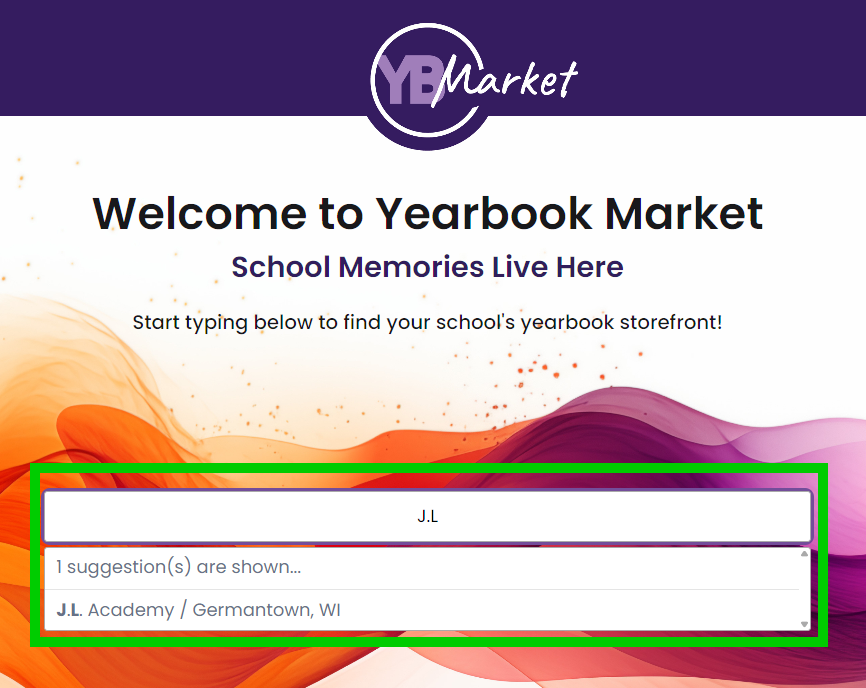
On your school's store pare, click on Did I Already Order? on the top menu bar.
Type in your own email address to see if a book was purchased using this contact info. If nothing is found, try alternative email addresses of your own or other family members. Note that it will not locate orders if the email address is not an exact match. Previous year's books may appear, so look at the date of the purchase. Also note that your child's name will not appear on the purchase confirmation using this lookup, for privacy reasons.
If you require additional support to look up an order, please contact our support services. We will need the name of the school, the city/state in which is is located, and the name of your child/children to look up store orders.
Was this article helpful?
That’s Great!
Thank you for your feedback
Sorry! We couldn't be helpful
Thank you for your feedback
Feedback sent
We appreciate your effort and will try to fix the article